8 real-world blog post examples to study before you write
Studying real-world blog post examples helps you choose the right structure before you start writing. Instead of guessing how to format an article, top content teams use proven layouts. These include step-by-step tutorials, metric-driven case studies, and scannable listicles. Proven frameworks save drafting time, match search intent, and bring in qualified organic search traffic.

According to data from the Content Marketing Institute (CMI), blogs remain the primary format marketers use for demand generation. Breaking down actual live posts shows the exact word counts, heading structures, and pacing needed to rank well. For more reference material, explore this library of Seobase SEO Blog | Seobase posts.
TL;DR: Studying real blog post examples helps marketers match formats, such as how-to guides, listicles, or case studies, to their funnel goals. Combining proven structures with automated publishing workflows ensures steady organic traffic growth.
On this page
- 1. How-to blog post example: Squarespace
- 2. Case study post example: Stripe
- 3. Creator portfolio blog example: Passerbuy
- 4. Opinion blog post example: Typeface AI
- 5. Student reflection blog example: university writing centers
- 6. Listicle post example: CMI industry roundups
- 7. Automated SEO blog publishing: Seobase
- 8. Multimedia brand blog example: OUAI hair care
- Structuring your next impactful blog post
- Frequently asked questions
- What are the most effective blog post formats for generating traffic?
- How do case study blog posts differ from standard listicles?
- How can AI tools assist in writing blog posts?
- What key elements should every listicle include?
- What is the main benefit of studying real blog post examples?
- How do student blogs differ from corporate blogs?
1. How-to blog post example: Squarespace
A good how-to post does not just answer a question. It teaches the reader to trust the product that solved it.
Squarespace’s help center and design blog provides a clear model for informational search intent. Each guide targets a specific user task, such as styling a portfolio page or pairing fonts. The articles use numbered steps that match actions in the account dashboard.
Best for: Businesses and creators that want to teach practical skills while showing off product features.
Key features
- Numbered steps that mirror the live product interface.
- UI screenshots and 10 to 30 second video clips placed at complex steps.
- Clear H2 and H3 heading outlines that let readers jump straight to solutions.
- Internal links to related templates and platform documentation.
- Descriptive image alt text on screenshots to assist search visibility and screen readers.
Pros
- ✅ Scannable layout keeps 1,500 to 2,500 word guides easy to read.
- ✅ Visual walk-throughs reduce support ticket volume.
- ✅ Contextual links guide readers across product documentation.
Cons
- ⚠️ Custom screenshot production requires significant design and editing hours.
- ⚠️ Product UI updates force teams to retake and replace past images.
How agencies use it
- Select three top-performing how-to posts as structural templates.
- Map H2 and H3 subheadings directly to a client’s software workflow.
- Replace placeholder text with annotated screenshots and short screen recordings.
- Test every step against the client’s current software version before publishing.
How it compares
Squarespace prioritizes visual clarity over dense data. While it includes fewer citations than a research report, its step-by-step layout provides a practical structural model for software tutorials.
Pricing
The blog is free to read. Squarespace site plans start at $16 per month billed annually.
Verdict
Use this model if you sell visual software and need practical product tutorials. Avoid this layout if your target audience expects academic citations or raw data sets.
2. Case study post example: Stripe
The Stripe customer stories library shows how a payment platform drives measurable business growth. Instead of relying on vague quotes, each article pairs hard metrics with commentary from engineering and finance leaders.
Best for: Teams building bottom-of-funnel proof content for enterprise SaaS or fintech buyers.
Stripe highlights the customer logo and core metrics above the fold. Readers can evaluate key results in under five seconds without scrolling.
Key features
- Metric-focused headers (such as checkout speed and authorization rates) placed at the top of the page.
- Direct quotes from engineering leads and finance executives.
- Standard challenge, solution, and result narrative framework.
- Filterable search tags sorted by industry, business model, and region.
- In-app screenshots highlighting live checkout flows.
Pros
- ✅ Prominent data callouts deliver instant proof to decision-makers.
- ✅ Technical quotes build credibility with enterprise engineering buyers.
- ✅ Filterable libraries let prospects find peers in their specific niche.
Cons
- ⚠️ Heavy focus on enterprise brands may alienate early-stage startups.
- ⚠️ Production cycles require 4 to 8 weeks for interview scheduling and legal approvals.
How agencies use it
- Review customer stories in the client’s vertical to identify target performance metrics.
- Structure the interview draft around the challenge, the technical solution, and the quantitative outcome.
- Prepare interview prompts that ask customers for specific percentages and operational gains.
- Distribute finished case studies as PDFs and web links to sales teams for demo follow-ups.
How it compares
Standard case studies often bury business outcomes in closing paragraphs. Stripe highlights data immediately, converting high-intent buyers who are actively comparing competing vendors.
Pricing
Stripe uses a pay-as-you-go pricing model, starting at 2.9% + 30¢ per successful card charge, with custom volume discounts for enterprise accounts.
Verdict
Choose this model to build data-backed proof for high-contract enterprise deals. Skip it if your prospects prefer informal, founder-led personal narratives.
3. Creator portfolio blog example: Passerbuy
Passerbuy combines behind-the-scenes production logs with a storefront. This layout lets freelance creators share their creative process alongside finished work.
Best for: Freelance designers, photographers, and writers who want their website to serve as a live portfolio.
The blog documents skill development through gear reviews, client shoots, and project recaps. The chronological archives show how creative techniques have evolved over time.
Key features
- Chronological archives that demonstrate creative growth across years of work.
- Visible reader comments that build public engagement.
- Embedded store links placed within relevant project breakdowns.
- Minimalist category tags for quick project navigation.
Pros
- ✅ Shows authentic development rather than just a curated highlight reel.
- ✅ Combines portfolio samples with e-commerce links without aggressive sales pitches.
- ✅ Active comments provide social validation for potential clients.
Cons
- ⚠️ Minimalist layouts lack the complex filtering of dedicated portfolio software.
- ⚠️ Older posts may showcase outdated design styles.
How agencies use it
- Review a creator’s archives to check publishing consistency over 6 to 12 months.
- Read reader comments to evaluate genuine community engagement.
- Compare project publication dates with product sales to evaluate commercial reach.
How it compares
Passerbuy prioritizes transparency over corporate polish. This focus helps independent freelancers demonstrate their practical problem-solving process to hiring managers.
Pricing
Replicating this setup on self-hosted WordPress costs roughly $5 to $15 per month for hosting, plus $15 per year for domain registration.
Verdict
Use this structure if you are an independent creator documenting your creative growth. Avoid it if your enterprise clients expect a traditional corporate gallery.
4. Opinion blog post example: Typeface AI
Typeface AI produces perspective-driven thought leadership articles tailored to enterprise marketing teams.
Best for: Agencies ghostwriting opinion pieces for technology executives who need a strong perspective on industry shifts.
The platform uses custom brand profiles to maintain voice consistency across multiple contributors. The resulting drafts sound like seasoned strategists rather than generic copy.
Key features
- Custom brand-voice profiles that match established editorial guidelines.
- Industry trend prompting that turns raw data points into opinionated commentary.
- Multi-brand workspaces that keep client voice profiles separated.
- Direct export integrations for standard CMS platforms.
Pros
- ✅ Maintains tone consistency across multiple contributors.
- ✅ Shortens the time needed to turn an outline into a draft from 4 hours to under 45 minutes.
- ✅ Consolidates copy drafting and visual asset selection in one workspace.
Cons
- ⚠️ Weak input prompts produce generic, safe commentary.
- ⚠️ Enterprise pricing requires a direct sales consultation.
How agencies use it
- Load past executive articles into the profile to establish an editorial baseline.
- Provide specific, contrarian viewpoints rather than generic industry topics.
- Run editorial passes to tighten sentence structures and cut filler phrases.
- Perform an editorial fact-check before publishing to the CMS.
How it compares
Typeface maintains voice consistency better than generic writing assistants. However, technical tutorials that require step-by-step product walkthroughs still need manual editorial oversight.
Pricing
Typeface provides custom enterprise pricing based on team seats and processing volume.
Verdict
Choose this approach to scale opinion pieces and executive commentary across multiple brands. Skip it if you primarily produce deep technical documentation.
5. Student reflection blog example: university writing centers
University writing center blogs demonstrate how reflective writing builds domain authority. By publishing reasoned analysis of academic concepts, writers establish a verifiable record of subject matter expertise.
Best for: Students, researchers, and specialists building an online portfolio of subject expertise.
Writing guides from Princeton and Stanford highlight reflection as an effective tool for critical analysis. Instead of merely summarizing source material, writers examine how their perspective changed over a semester.
Key features
- Hyperlinked citations connecting individual reflections to peer-reviewed research.
- Cross-references to peer posts that encourage public discussion.
- Iterative updates where authors revise past arguments with new evidence.
- Topic tags organized by research competency rather than simple dates.
Pros
- ✅ Creates a transparent portfolio for academic and employment applications.
- ✅ Encourages rigorous analysis through public publishing.
- ✅ Connects researchers across different academic departments.
Cons
- ⚠️ High editorial effort required for academic citation standards.
- ⚠️ Personal reflections can occasionally distract from core technical research.
How agencies use it
- Review course syllabi or training programs to identify high-value target keywords.
- Outline reflection series that move from introductory concepts to advanced critique.
- Add internal links between older and newer entries to increase average session duration.
- Embed source research PDFs to provide immediate documentation for readers.
How it compares
Unlike conversion-focused case studies, reflective academic blogs build credibility through thorough research citations and transparent analysis.
Pricing
Platforms like WordPress.com or Medium offer free plans. Custom domains cost approximately $12 to $20 per year.
Verdict
Use this reflective format to build personal authority for admissions boards or hiring managers. Skip it if your primary goal is running a direct-response sales funnel.
6. Listicle post example: CMI industry roundups
The Content Marketing Institute uses curated roundups to turn dense annual survey reports into scannable reference guides.
Best for: Marketing teams that want to convert annual industry surveys into high-ranking top-of-funnel search assets.
Key features
- Numbered subheadings that serve as an anchor-linked table of contents.
- Bold stat callouts that let skimmers extract key figures instantly.
- Original survey data backed by clear methodology notes.
- Concise one to two sentence summaries beneath each numbered item.
- Key takeaway bullet points summarizing core findings at the end of the post.
Pros
- ✅ Clear layout improves readability on mobile screens.
- ✅ Proprietary survey statistics attract natural backlinks from other publications.
- ✅ Easy to refresh annually with updated figures.
Cons
- ⚠️ Lacks a narrative arc, which can lead to shorter average session durations.
- ⚠️ Requires original research or surveys to deliver unique value.
How agencies use it
- Aggregate client survey responses into a spreadsheet and rank data points by relevance.
- Write concise summaries for each statistic, bolding key figures.
- Implement jump links so users can navigate between sections quickly.
- Update the post annually on the same URL to preserve search rankings and backlinks.
How it compares
Listicles trade narrative depth for scanning speed. They capture broad top-of-funnel search queries more effectively than single-topic essays, but convert at lower rates than case studies.
Pricing
Editorial listicles carry no software fees, but running an industry survey generally requires a dedicated research budget.
Verdict
Use this format if you have original survey data and want to generate backlinks. Skip it if you lack original data, as summarizing third-party numbers rarely builds long-term authority.
Skip the manual work. Seobase is an SEO automation platform for creating and publishing search-focused content. Try Seobase →
7. Automated SEO blog publishing: Seobase
Seobase simplifies the organic content pipeline. It conducts keyword research, builds editorial calendars, writes drafts, and publishes articles directly to your CMS.
Best for: Agencies and lean marketing teams that want to maintain a consistent publishing schedule without manual bottlenecks.
The platform links content scheduling directly to search intent data. Enter a primary domain and seed keywords, and the system schedules content based on keyword difficulty and traffic potential.
Key features
- Keyword research tools with integrated difficulty scoring and search intent tracking.
- Automated content scheduling based on keyword priority.
- Structured article generation referencing live search results.
- Direct publishing to WordPress, Webflow, Shopify, Framer, Wix, and Ghost.
- A free blog outline generator for planning heading structures prior to drafting.
Pros
- ✅ Reduces content production workflows from days to hours.
- ✅ Native CMS publishing removes manual copy-pasting.
- ✅ Unified dashboard tracks multiple client content calendars in one tab.
Cons
- ⚠️ Articles require human review to adjust brand voice and verify niche technical claims.
- ⚠️ Custom editorial styling still requires manual design adjustments.
How agencies use it
- Connect the client CMS (such as Webflow or WordPress) during onboarding.
- Add target keywords to build a full month of scheduled content.
- Review generated articles, polish introductory hooks, and approve for publishing.
- Monitor search impressions weekly to update underperforming posts.
How it compares
Seobase emphasizes end-to-end publishing automation over manual optimization scoring. It delivers steady organic content volume faster than fragmented tool stacks.
Pricing
Plans start at $29 per month, bundling research, drafting, and multi-platform CMS publishing.
Verdict
Choose Seobase to run multi-client content operations efficiently. Skip it if your content strategy relies strictly on manual, long-form journalism.
Skip the manual work. Seobase is an SEO automation platform for creating and publishing search-focused content. Try Seobase →
8. Multimedia brand blog example: OUAI hair care
OUAI connects lifestyle editorial content directly with product inventory. Every article pairs practical haircare tips with relevant product links, showing how DTC brands turn search traffic into orders.
Best for: E-commerce and retail brands that want to convert educational blog visitors into paying customers.
Key features
- Embedded product modules placed within relevant instructional paragraphs.
- High-resolution editorial photography matching product catalog standards.
- Short application videos showing real product use.
- Interactive cart buttons that let readers purchase items without navigating away.
- Contextual internal links connecting articles to related product collection pages.
Pros
- ✅ Reduces steps between reading a tutorial and completing a purchase.
- ✅ Consistent visual styling builds customer trust.
- ✅ Embedded video increases time on page, supporting search performance.
Cons
- ⚠️ Demands continuous video and photography production budgets.
- ⚠️ Large media files can slow page load speeds if uncompressed.
How agencies use it
- Audit high-traffic blog posts to find opportunities for product placement.
- Insert shoppable product cards in place of standard text links.
- Replace generic stock imagery with custom lifestyle product photos.
- Track blog-assisted revenue separately from direct store traffic.
How it compares
OUAI delivers higher conversion rates than standard informational blogs by incorporating e-commerce modules directly into educational guides.
Pricing
Shopify plans start at $39 per month, with additional budgets required for studio photography and video assets.
Verdict
Use this model if you run an e-commerce business with high-quality visual assets. Skip it if you produce text-only content without a physical product catalog.
Structuring your next impactful blog post
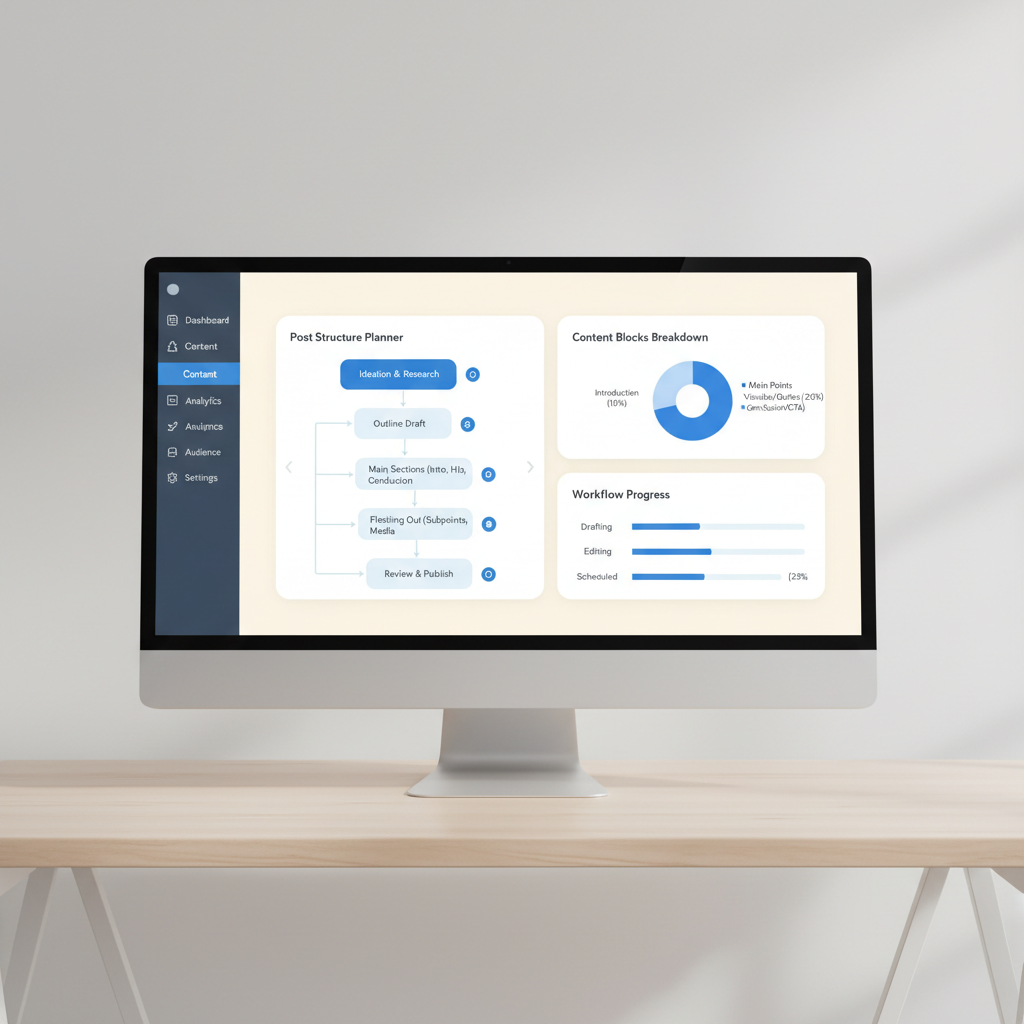
Select a format that matches where your reader sits in the sales funnel. Use detailed case studies for bottom-of-funnel prospects who need proof before buying. Choose scannable listicles for top-of-funnel readers who want quick answers. Aligning content format with user intent keeps bounce rates low.
Combine automated keyword analysis with thoughtful editorial reviews. Use AI tools to generate outlines and cluster topics, then have a human writer refine the hooks and takeaways. This balance ensures your content remains both discoverable and engaging.
Plan your heading hierarchy before writing body copy to ensure a logical structure.
| Funnel Stage | Best Format | Primary Goal |
|---|---|---|
| Awareness | Listicle | Traffic |
| Consideration | How-to Guide | Trust |
| Decision | Case Study | Conversion |
Frequently asked questions
What are the most effective blog post formats for generating traffic?
How-to guides and optimized listicles are the most effective formats for capturing top-of-funnel organic search traffic. They directly answer user queries, offer high scannability, and rank well across major search engines when properly structured with clear H2 and H3 headings.
How do case study blog posts differ from standard listicles?
Case studies are bottom-of-funnel content that focus on deep problem-solution frameworks and real customer proof. Standard listicles are top-of-funnel content designed to summarize multiple tips, tools, or examples quickly for broad audiences.
How can AI tools assist in writing blog posts?
AI tools assist with automated keyword research, content calendar generation, outline creation, and first draft writing. However, human editing and original insights remain essential for maintaining brand voice, accuracy, and audience connection.
What key elements should every listicle include?
Every successful listicle should include a clear headline, scannable subheadings for each item, concise descriptions, and engaging visual assets or product links to keep readers scrolling.
What is the main benefit of studying real blog post examples?
Studying real examples helps marketers understand optimal word counts, heading hierarchies, internal linking structures, and visual placements without having to format a blank page from scratch.
How do student blogs differ from corporate blogs?
Student blogs focus on personal reflection, documenting learning journeys, and providing evidence of skill growth for portfolios. Corporate blogs target lead generation, customer acquisition, and organic search visibility.
Put this on autopilot
Seobase runs the whole loop for you: it finds the keywords worth ranking for, writes and publishes the articles, and reports back from Search Console on what actually moved.
Start a free Seobase workflowIn this guide
- 1. How-to blog post example: Squarespace
- 2. Case study post example: Stripe
- 3. Creator portfolio blog example: Passerbuy
- 4. Opinion blog post example: Typeface AI
- 5. Student reflection blog example: university writing centers
- 6. Listicle post example: CMI industry roundups
- 7. Automated SEO blog publishing: Seobase
- 8. Multimedia brand blog example: OUAI hair care
- Structuring your next impactful blog post
