Best AI SEO Tools for Small Businesses (2026): 8 Options Compared
You’re the marketing team, the sales team, and half of ops, all before lunch. So when do you actually sit down and dig through keyword research or chase down backlinks? You don’t, and that’s exactly why picking the best SEO software for small business ops matters so much: the right pick automates the grunt work you no longer have hours for.
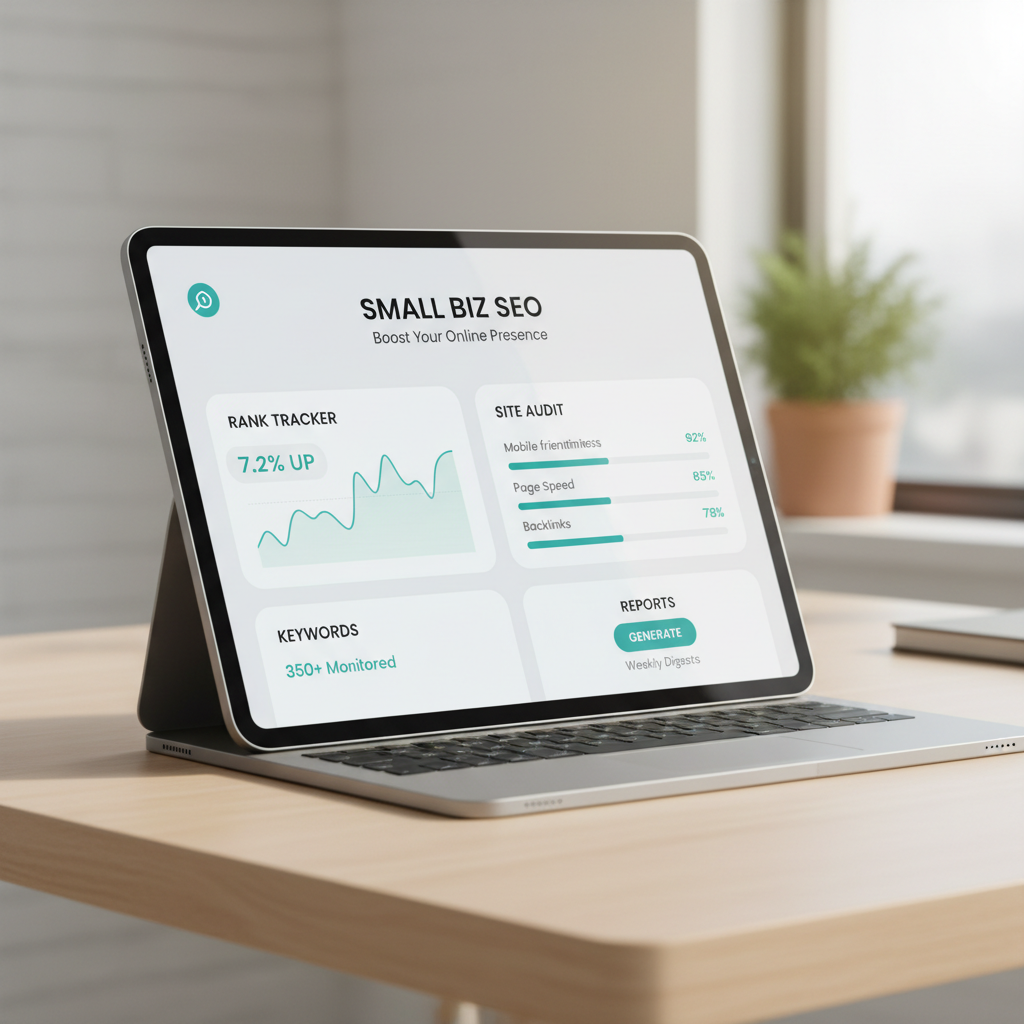
Best SEO software for small business: 8 tools tested for lean teams
Here’s the direct answer: the best SEO software for small businesses is the one that skips enterprise bloat, stays accurate to what Google actually rewards, and automates the manual slog, not just tracks it. Free options like Google Search Console tell you how your site performs on the search engine, but they won’t spy on competitors’ traffic and backlinks or hand you a ranked keyword list. That gap is where paid SEO tools earn their keep.
Picking the wrong stack is expensive in ways that don’t show up on the invoice. A tool with a two-week learning curve eats a whole onboarding cycle. One that fudges search volume sends you chasing keywords nobody searches. We built this round-up (and lean on breakdowns from the Seobase SEO blog) by scoring every platform on cost, ease of use, and how much real automation it gives a small, understaffed team. Below, you’ll get the shortlist worth your budget. Seobase SEO Blog | Seobase covers this in more depth.
TL;DR: The best SEO software for small business combines ease of use with automation to save lean teams time. Top choices include Google Search Console for free data, SE Ranking for budget tracking, Surfer for content optimization, and Seobase for automated keyword-to-publish workflows.
Best AI SEO tools for small businesses in 2026
If you are searching for the best AI SEO tools for small businesses, start with the workflow you need to improve, not the tool with the longest feature list. A lean team usually needs four things: reliable query and page evidence, a useful brief, a reviewed draft, and a repeatable way to publish and measure the result.
What to automate first
- Use Google Search Console as the first-party baseline for impressions, clicks, and pages that already have demand; record the decision in the SEO report template.
- Use the SEO content brief generator to turn one validated query into an outline with a clear reader outcome.
- Use the keyword clustering tool before assigning briefs so similar queries do not create competing pages.
- Use the SEO automation workflow for reviewed drafts, internal links, publishing, and post-publish measurement—not unattended bulk publishing.
Semrush’s US estimates captured on September 14, 2026 put “best ai seo tools for small businesses 2026” at 90 monthly searches with a keyword difficulty estimate of 3. The same discovery run showed “ai seo content strategy generator” at 90 searches and difficulty 15. These are prioritization signals, not traffic forecasts or proof that a page ranks. Recheck the query, country, date, and provider status before making a growth claim.
Best fit for a small team
Choose a free first-party tool when you need to understand your own search performance. Choose a specialist tool when you need a particular audit or research dataset. Choose Seobase when the bottleneck is turning approved SEO decisions into briefs, content, internal links, publishing, and measurable follow-up. Keep a person responsible for product claims, redirects, canonical decisions, and the final publish.
1. Google Search Console
The only source of truth for how Google actually sees your site.
Stop guessing with third party estimates and go straight to the source. Google Search Console is the mandatory first step for any site owner because it reports data directly from the index. It tells you exactly which queries trigger your listing and how many people actually clicked.
Best for: Every single website owner, regardless of budget or size.
Key features
- Performance reports showing exact clicks, impressions, and average position for every keyword.
- URL Inspection tool to request indexing for new pages or check for crawl errors.
- Core Web Vitals reports that flag slow loading pages on mobile and desktop.
- Sitemap submission to ensure the search engine finds all your important pages.
Pros
- ✅ Completely free with no hidden tiers.
- ✅ Zero lag in reporting compared to scrapers.
- ✅ Direct alerts for security issues or manual penalties.
Cons
- ⚠️ No data on what competitors are doing.
- ⚠️ Limited historical data window.
How agencies use it
- Verify site ownership via DNS record to gain full access.
- Filter the Performance report for keywords with high impressions but low click-through rates.
- Optimize the meta titles of those specific pages to capture more traffic.
- Export the query list to a CSV to find new content ideas based on “accidental” rankings.
How it compares
It provides more accurate first party data than Ahrefs or Semrush, but it cannot track competitor backlinks or traffic.
Pricing
This tool is free. You just need a Google account to get started.
Verdict
Install this immediately. If you are paying for expensive software before setting up this free baseline, you are wasting money.
2. Surfer
Surfer turns the guesswork of writing into a math problem by telling you exactly which words to use and how many times to use them. It is the gold standard for non-technical founders who need to rank without spending years learning the nuances of search engines. Best for: SMBs and lean teams who want data-backed writing guidelines.
Key features
- Content Editor: A real-time scoring system that tracks your word count and keyword density against the top 10 ranking pages.
- Keyword Research: Automated suggestions for related terms that help you cover a topic comprehensively.
- Audit Tool: A scanner that identifies which existing pages need updates to regain their positions.
- Content Planner: A way to group topics into clusters so you can build topical authority faster.
Pros
- ✅ Removes writer’s block by providing a concrete checklist of required terms.
- ✅ Simplifies the process of analyzing what competitors are doing right.
- ✅ Integrates directly with Google Docs for a smoother editing flow.
Cons
- ⚠️ The “Content Score” can lead to over-optimization if you follow it too rigidly.
- ⚠️ Higher cost compared to basic keyword trackers.
How agencies use it
- Plug a target keyword into the Content Editor to generate a suggested word count.
- Use a Free Content Brief Generator for SEO to map out the initial structure before refining it in the software.
- Write the draft until the score turns green, ensuring you don’t miss critical semantic terms.
- Export the final analysis to show the client exactly how the piece matches top competitors.
How it compares
Surfer provides more granular, word-level guidance than most general SEO tools, though it lacks the deep backlink analysis found in comprehensive suites.
Pricing
Foundational tiers start around $89/mo, though you should check their current plans for the latest feature bundles.
Verdict
Choose Surfer if you have a budget and want a “paint-by-numbers” approach to ranking. Skip it if you are a seasoned SEO who prefers manual analysis over automated scoring.
3. SE Ranking
SE Ranking fills the gap between basic free trackers and the heavy enterprise costs of Ahrefs. It packs a full suite of auditing and research tools into a price point that doesn’t eat your entire margin. Best for: Small to mid-sized agencies managing a handful of local clients.
Key features
- Rank Tracking with daily updates and filters for specific devices or locations.
- Website Audit that scans for 404 errors, duplicate meta tags, and slow page speeds.
- Competitor Research to see which keywords drive the most traffic to rival sites.
- Backlink Checker to analyze the strength and source of incoming links.
- Keyword Research tool for finding low-competition phrases with high search volume.
Pros
- ✅ Extremely competitive pricing for the amount of data provided.
- ✅ Clean interface that requires almost no training for new hires.
- ✅ Flexible project limits that grow as you add more clients.
Cons
- ⚠️ Backlink database is smaller than the industry giants.
- ⚠️ Some advanced reporting takes longer to load during peak hours.
How agencies use it
- Connect the client’s site to the Website Audit to generate a prioritized “to-do” list of technical fixes.
- Plug in 3 to 5 top competitors to identify “keyword gaps” where the client is missing out on traffic.
- Set up a tracking project with local SEO parameters to monitor rankings in specific zip codes.
- Export a PDF report using the built-in templates to show the client their monthly movement.
One detail a power user will notice is that the PDF report builder allows you to hide specific metrics, meaning you can remove the “technical jargon” sections before sending the file to a non-technical client.
How it compares
It is significantly cheaper than Semrush, though you sacrifice some of the deeper market intelligence data. It offers a more cohesive all-in-one experience than using a fragmented mix of free tools.
Pricing
Entry-level plans start around $55/mo, though you should peek at their current site for the latest bundle deals.
Verdict
Pick this if you need a professional, reliable toolset without a four-figure monthly bill. Skip it if you are a high-end SEO firm that needs the absolute largest backlink index available.
4. Nightwatch
nightwatch is a surgical tool for tracking how a business appears in specific zip codes and on Google Maps. It avoids the “average” rank traps of larger platforms by letting you see exactly where a storefront wins or loses visibility. Best for: Local service businesses with tight physical service areas.
Key features
- Local Rank Tracking that lets you pin a specific address or zip code to see the map pack.
- Keyword research tools that identify high-intent local search terms.
- Competitor analysis to track the backlink profiles and traffic of nearby rivals.
- Automated reports that send rank changes directly to a client’s inbox.
Pros
- ✅ Hyper-accurate location data prevents “ranking hallucinations” caused by broad city tracking.
- ✅ Lower cost of entry for small shops compared to enterprise suites.
- ✅ Clean interface that focuses on rank movement rather than clutter.
Cons
- ⚠️ Lacks the deep, all-in-one site auditing power of a massive SEO tool.
- ⚠️ The setup for multiple locations can feel tedious during the initial import.
How agencies use it
- Map out the client’s service area by identifying 5 to 10 key zip codes.
- Set up a tracking project that monitors both the organic results and the local map pack.
- Compare the client’s visibility against the top 3 local competitors to find gaps in their backlink strategy.
- Export the weekly rank shift to a PDF to prove the value of local citation building.
One detail an operator will notice is that the local tracking requires a specific address for the “center” of the search, meaning you cannot just type a city name if you want true precision.
How it compares
It beats Semrush for raw local precision and zip code granularity, but it loses on overall feature breadth since it is not a full-stack marketing suite.
Pricing
Basic configurations start around $39/month. You should verify the latest tier limits on their site as keyword caps vary.
Verdict
Choose this if you manage plumbers, lawyers, or dentists who care more about their neighborhood than the whole state. Skip it if you are scaling a national e-commerce brand.
5. Ahrefs
ahrefs is the heavy hitter for anyone who needs to reverse engineer a competitor’s growth strategy using a massive index of live links. It turns the invisible web of citations into a map you can actually follow.
Best for: Small businesses fighting for visibility in high competition niches.
Key features
- Site Explorer for analyzing the link profiles and referring domains of any URL.
- Keywords Explorer to find search volumes and difficulty scores for millions of terms.
- Site Audit to crawl your site and flag 404 errors or missing meta tags.
- Content Explorer to find the most shared pages for any specific topic.
Pros
- ✅ Most comprehensive backlink index in the industry.
- ✅ Fast, reliable crawler that finds technical leaks quickly.
- ✅ Powerful tools for spying on a rival’s top performing pages.
Cons
- ⚠️ Credit-based pricing can feel like a “meter” running in the background.
- ⚠️ Steep learning curve for beginners who aren’t familiar with SEO metrics.
How agencies use it
- Plug a competitor’s domain into Site Explorer to see exactly which sites are linking to them.
- Filter for “low hanging fruit” by finding pages with high traffic but low domain authority.
- Export the list of referring domains to a CSV for an outreach campaign.
- Use the Site Audit tool to create a monthly health report for the client.
One detail a pro will notice is that the CSV exports are clean and formatted for immediate upload into a CRM or Google Sheet, which saves about ten minutes of cleanup per report.
How it compares
It provides deeper link intelligence than nightwatch, but it is a broader suite than a dedicated rank tracker. If you are deciding between a lean setup and a powerhouse, check out this Long Tail Pro vs Ahrefs comparison to see which fits your 2026 workflow.
Pricing
Standard professional tiers start around $129/mo. You should peek at their current plans to see how many credits are included in the base package.
Verdict
Choose this if you have the budget and need to win a “link war” against aggressive competitors. Skip it if you only need basic rank tracking and simple keyword lists, as the cost is overkill for basic sites.
6. Semrush
Semrush is what you get when a keyword tool decides it wants to run the whole marketing department. It started as an SEO tool and grew into a full suite covering paid search, content, and social tracking, which makes it less a point solution and more an operating system for digital marketing. Best for: teams that want one login for organic, paid, and content instead of stitching together four subscriptions.
One detail agency folks notice fast: the Position Tracking tool lets you group keywords into tagged buckets (like “blog” vs “product pages”), and that tagging carries through to client reports automatically. Small thing, but it saves a lot of manual spreadsheet sorting when you’re managing more than one campaign per client.
Key features
- Keyword Magic Tool for building out keyword lists with intent labels and volume data
- Traffic Analytics to estimate a competitor’s traffic sources and top pages
- Backlink Analytics for auditing link profiles and spotting toxic or lost links
- PPC Keyword Tool for building paid search campaigns alongside organic research
- Social Media Tracker for monitoring engagement across client social accounts
Pros
✅ One subscription replaces separate tools for SEO, PPC, and social reporting
✅ Competitor traffic and backlink estimates are strong enough to inform actual pitches
✅ Frequent feature updates keep pace with algorithm and platform changes
Cons
⚠️ The sheer number of modules means new users spend real time just learning navigation
⚠️ Data credits and report limits on lower tiers run out fast on bigger accounts
⚠️ Some workflows (like content templates) feel bolted on rather than native
How agencies use it
- Pull a competitor’s top-ranking pages with Organic Research before a pitch call.
- Build a tagged keyword list in Keyword Magic Tool and push it into rank tracking.
- Run a backlink audit to flag toxic links before a technical cleanup starts.
- Export the client dashboard as a branded PDF for the monthly report.
How it compares
It’s broader than Ahrefs on paid and social features but many practitioners still rate Ahrefs’ backlink index as the sharper research tool for pure link analysis. Against smaller, cheaper platforms built for SMBs, Semrush wins on depth but loses on simplicity.
Pricing
Plans start around $129.95/mo for the base tier, with higher tiers unlocking more projects and data limits. Worth a quick check on the current pricing page since promos and tier limits shift more often than the core feature set.
Verdict
Pick Semrush if you want a single ecosystem covering organic, paid, and social in one login. Skip it if you only need pure organic research; a narrower SEO tool will cost less and get you there faster.
7. Seobase
Can you actually run a full content operation without a dedicated writer? seobase proves you can by automating the entire pipeline from keyword discovery to CMS publishing. It is the go-to choice for small businesses that need to maintain a consistent publishing cadence but lack the budget for a full-time content team.
Best for: Lean teams needing an all-in-one AI content engine.
Key features
- Automated workflows: Generates keyword lists and a full content calendar, then writes and pushes the posts directly to your site.
- Integrated assets: Creates AI images and embeds relevant YouTube videos to keep users on the page longer.
- Growth tools: Includes a content-quality review gate to verify AI output before it goes live.
- Competitive intel: Pulls data on where competitors get their traffic to find gaps in your own strategy.
Pros
- ✅ Eliminates the friction of moving text from a doc to a CMS.
- ✅ Handles the “blank page” problem by automating the research phase.
- ✅ Combines several seo tools into one subscription.
Cons
- ⚠️ AI generated text still requires a human eye to ensure brand voice.
- ⚠️ The automation can feel overwhelming for those who prefer manual control.
How agencies use it
- Connect the client website and run a competitor analysis to identify high-volume, low-competition terms.
- Map these terms into a generated content calendar to ensure a logical topical cluster.
- Use the internal editor to refine the AI draft, adding a custom image or video.
- Push the post to the CMS with one click and use the exchange to find initial backlinks.
One detail a power user will notice is that the publishing sync is near-instant, meaning you can manage a dozen different client sites from one dashboard without logging into individual WordPress admins. This is a massive time saver when executing AI SEO automation across a portfolio.
How it compares
While tools like Ahrefs provide deeper raw data, seobase wins on execution by actually writing and publishing the content. It replaces the need for a separate writer and a separate seo tool.
Pricing
Plans typically start around $49/month, though you can test the waters with a free trial. Confirm the latest tier details on their site.
Verdict
Choose seobase if you are a solo founder or a small agency that needs to scale output fast without hiring. Skip it if you have a high-end editorial team that insists on writing every word from scratch.
8. Google Keyword Planner
Google Keyword Planner is the most direct way to see what people actually type into the search bar because it pulls data from the same network that powers Google Ads. You can get started for $0/mo by creating a basic account at ads.google.com. It is the gold standard for validating if a product idea has actual search demand before you spend a week writing a landing page.
The tool provides average monthly search volumes and competition levels for specific terms. If you see a phrase with 10,000 monthly searches but high competition, you know you need a tighter niche. Use it to find “low hanging fruit” phrases that your competitors might be ignoring.
Since this is a foundational part of a free SEO tools strategy, use it to build your initial list of targets. It does not show you the specific backlinks of other sites, but it tells you exactly how many people are looking for your solution. This makes it a mandatory first step for any founder testing a new service offering.
Choosing the right software stack for your growth stage
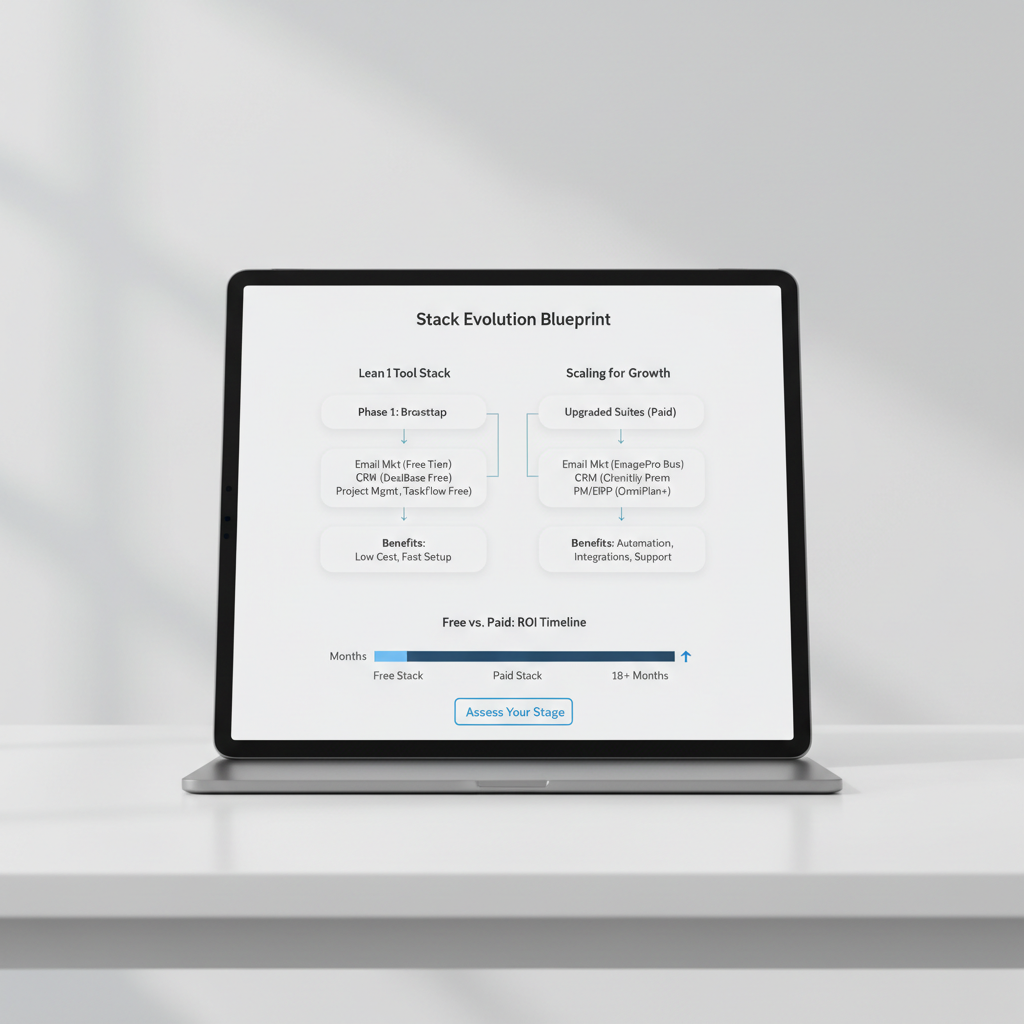
The lean tool stack blueprint
Start with a foundation of zero cost. Use Google Search Console to track actual performance and free SEO tools to map out your initial strategy. This keeps overhead low while you validate which topics actually drive traffic.
Combine these with an automation platform to handle the heavy lifting of content production. Automate the grunt work, compound your organic reach.
When to upgrade from free to paid software
Move to paid seo tools when your primary bottleneck is time, not money. If you spend 10+ hours a week manually checking rankings or hunting for guest post opportunities, the subscription pays for itself in regained productivity.
Use 14-day free trials to test a specific workflow, like a full competitor audit, before committing to a monthly bill.
| If your priority is… | Choose… |
|---|---|
| Finding gaps in competitor traffic | Ahrefs or Semrush |
| Low-cost rank tracking | SE Ranking |
| High-volume content publishing | Seobase |
| Validating search volume | Google Keyword Planner |
Audit your current bottlenecks and pick one tool to solve your biggest gap today.
Frequently asked questions
What is the best free SEO tool for a small business?
Google Search Console is the absolute best free SEO tool for small businesses. It provides accurate, unvarnished data regarding your website’s impressions, clicks, average keyword rankings, and technical indexing errors straight from Google. Combined with Google Keyword Planner, it gives you a complete baseline for zero cost.
How much should a small business spend on SEO software?
Most lean small businesses should expect to spend between $50 and $130 per month on paid SEO software once they move past free tools. The exact amount depends on whether you need deep backlink intelligence like Ahrefs or streamlined content automation platforms like Seobase.
Do small businesses need Ahrefs or Semrush?
Not necessarily. While Ahrefs and Semrush are industry powerhouses, their advanced enterprise features can overwhelm lean teams. Smaller businesses operating in localized or niche markets often get a faster return on investment by using targeted content automation and simpler rank tracking tools.
How can a local small business track rankings accurately?
Local small businesses can track rankings accurately by using specialized rank trackers like Nightwatch or SE Ranking, which support hyper-local tracking down to specific zip codes and Google Maps coordinates. This ensures you see what customers actually see in your immediate service area.
What SEO tools do beginners actually find easy to use?
Beginners typically gravitate toward user-friendly platforms with simplified dashboards, such as SE Ranking or streamlined content tools like Seobase and Surfer. These tools remove technical clutter and provide clear, step-by-step optimization recommendations for non-technical founders.
How do AI overviews and ChatGPT Search change small business SEO?
AI search engines prioritize concise, direct answers and high topical authority over traditional keyword stuffing. Small businesses must adapt by structuring content clearly, targeting conversational long-tail queries, and using AI automation tools to maintain a consistent publishing cadence.
What is the absolute best SEO software for a small business with no budget?
For businesses with zero software budget, Google Search Console, Google Keyword Planner, and Google Autocomplete provide all the core data required to discover keywords, track performance, and optimize foundational pages without spending a single dollar.
How do content optimization tools like Surfer help small business writers?
Content optimization tools like Surfer analyze top-ranking competitor pages to generate data-backed outlines, word count targets, and semantic keyword suggestions. This takes the guesswork out of writing and helps small business teams publish content that ranks faster.
Continue with a practical SEO workflow
Use the SEO content brief generator, keyword clustering tool, and SEO automation guide to turn a chosen AI SEO tool into a reviewed workflow. Keep the SEO report template as the record of the target URL, evidence, owner, and next review date.
Put this on autopilot
Seobase runs the whole loop for you: it finds the keywords worth ranking for, writes and publishes the articles, and reports back from Search Console on what actually moved.
Start a free Seobase workflow