8 best open source seo tools for self-hosted audits in 2026
Finding the best open source seo tools lets you run technical audits, track keyword positions, and inspect backlinks without paying $200 per month for closed SaaS platforms. Self-hosted SEO software gives you full ownership of your crawl data, eliminates seat licenses, and avoids strict export quotas. By hosting tools on a local machine or a $5 VPS, engineering and marketing teams run deep scans directly against their own databases.

Developers and agencies use open source search software to build custom scraping pipelines and automated reporting workflows. These setups connect to developer APIs, query Google Search Console without row caps, and run crawlers on private servers.
TL;DR: Open source SEO tools give you complete data ownership and eliminate costly subscriptions. Leading options include OpenSEO for AI workflows, SerpBear for rank tracking, and Greenflare for technical audits, all run via self-hosted Docker containers or custom developer APIs.
On this page
- Comparing self-hosted infrastructure to legacy cloud platforms
- 1. OpenSEO
- 2. SerpBear
- 3. Greenflare
- 4. Seobase
- 5. SEO Panel
- 6. RustySEO
- 7. GSC Bulk Data Downloader
- 8. Custom SEO microservices
- Choosing the right self-hosted stack for your workflow
- Frequently asked questions
- What are the best open-source seo tools available today?
- How do self-hosted open-source seo tools get their data?
- What is the difference between SaaS seo tools and open-source alternatives?
- How can AI agents integrate with open-source seo platforms?
- Can open-source seo tools replace Semrush or Ahrefs?
- How much does it cost to use API-backed open source seo software?
Comparing self-hosted infrastructure to legacy cloud platforms
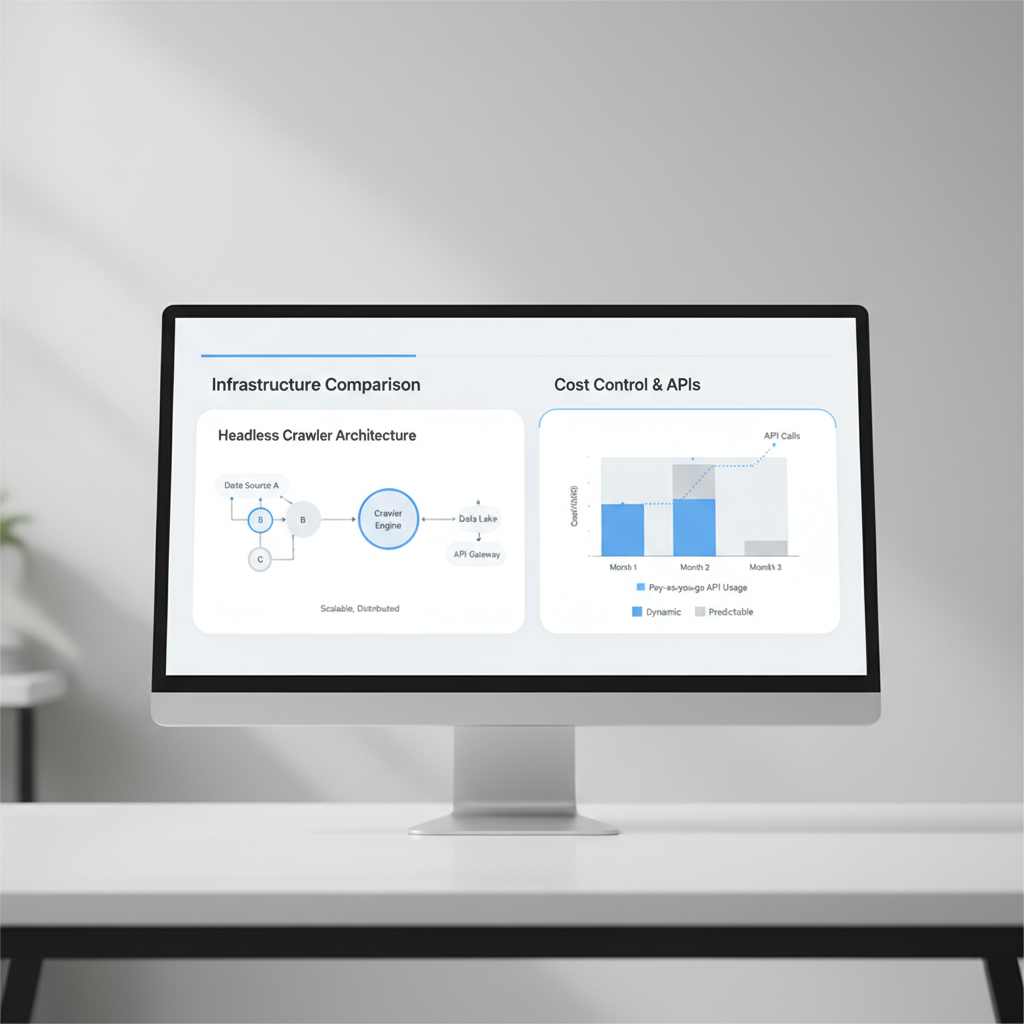
Understanding headless crawler architecture
Headless crawler architecture lets you scan large site structures without artificial credit caps. Proprietary cloud tools charge extra once you pass 100,000 URLs. Self-hosted crawlers run on your own hardware or a dedicated VPS instance, bounded only by available RAM and CPU cores.
Running an open source crawler gives you direct control over request concurrency, crawl delay, and custom headers. You can throttle requests to 2 requests per second on fragile staging servers or ramp up to 50 concurrent threads on high-capacity production sites.
Cost control with pay-as-you-go APIs
Self-hosting shifts your spending from recurring monthly retainers to direct resource usage. You can pair self-hosted log analyzers with local databases to process 50 GB of server access logs without third-party ingestion fees.
For keyword research and clustering, local Python scripts or local LLMs can categorize 20,000 search queries on an internal machine. You pay only for underlying compute instead of tiered user seats.
| Feature | Legacy Cloud Platforms | Self-Hosted Stack |
|---|---|---|
| Data Privacy | Stored on shared third-party servers | Local NVMe storage or private PostgreSQL DB |
| Crawl Limits | Capped by monthly plan credits (e.g., 100k URLs) | Limited only by host hardware and bandwidth |
| Rank Tracking Costs | Fixed recurring fee ($99 to $499/mo) | Free software plus raw proxy costs ($0.001/call) |
| Data Retention | Standard 12 to 16-month limits | Permanent historical storage on local disk |
1. OpenSEO
OpenSEO delivers developer-first SEO infrastructure designed for automated data extraction. OpenSEO connects directly to Google Search Console via API and exposes endpoints to AI agents and custom scripts. Best for: technical teams building programmatic reporting without manual CSV exports.
OpenSEO uses the Model Context Protocol (MCP). This standard lets an LLM agent query your live Search Console database directly via plain-text prompts without intermediate spreadsheets.
Key features
- Native Model Context Protocol (MCP) support for direct AI agent integration.
- Self-contained deployment via Docker containers or Cloudflare Workers.
- Open-source repository with full auditability for data pipelines.
- Direct API ingestion for search queries, impressions, clicks, and average CTR.
- Real-time querying without manual scheduling delays.
Pros
- Free to self-host with no per-seat software licensing fees.
- Eliminates manual CSV exports from Google Search Console.
- Complete code transparency for security audits.
Cons
- Requires Docker CLI or Cloudflare wrangler configuration experience.
- Contains no built-in web crawler or backlink database.
How agencies use it
- Deploy the OpenSEO Docker image on an internal server running Node.js 18+.
- Authenticate OAuth 2.0 credentials with client Google Search Console accounts.
- Connect an internal AI assistant via MCP to query 90-day search performance trends during client meetings.
How it compares
OpenSEO is not a visual site auditor like Screaming Frog. It solves real-time GSC data access for agentic workflows. Combine it with a crawler for full technical audits.
Pricing
Free (MIT License). Server hosting costs range from $0 (Cloudflare free tier) to $5 per month on a standard Linux VPS.
Verdict
Deploy OpenSEO if you automate SEO workflows with AI agents. Skip it if you need an out-of-the-box graphical site crawler.
2. SerpBear
SerpBear is an open-source rank tracking application that runs on Node.js and Docker. It checks keyword positions across mobile and desktop search results without recurring per-keyword software subscriptions. Best for: agencies tracking thousands of search terms who want direct control over their scraping proxies.
SerpBear lets you configure scraping schedules per keyword group. You can set mission-critical keywords to refresh every 24 hours while secondary keywords check every 7 days, reducing scraping costs.
Key features
- Configurable check intervals (daily, weekly, or manual on-demand triggers).
- Native Google Search Console integration to overlay actual click volume against rank shifts.
- Multi-domain dashboard with multi-user access controls.
- Push notifications for rank drops via Slack webhooks and email.
- Mobile and desktop SERP tracking split by device and geo-location.
Pros
- Unlimited keyword tracking with zero software seat fees.
- All ranking records stay within your local SQLite or MySQL database.
- Runs smoothly on a basic 1 GB RAM virtual private server.
Cons
- Scraping requires purchasing third-party residential proxies or SERP API credits (e.g., ScrapingDog or DataForSEO).
- Does not crawl on-page technical issues or compute backlink metrics.
How agencies use it
- Launch SerpBear using Docker Compose on an Ubuntu 22.04 server.
- Add residential proxy credentials to avoid Google IP blocks.
- Import 500 target keywords per client, tagging each list by service category.
- Schedule automated weekly position reports sent to client Slack channels.
How it compares
SerpBear replaces paid rank trackers like AccuRanker or Nightwatch. It costs significantly less at scale, though it requires proxy management.
Pricing
Free open-source software. Scraping proxies typically cost between $0.50 and $2.00 per 1,000 tracked keywords.
Verdict
Use SerpBear to eliminate per-keyword tracking fees. Skip it if you lack the technical resources to configure Docker and proxy services.
3. Greenflare
Greenflare is an open-source desktop SEO crawler designed for auditing on-page technical issues. It runs locally on Windows, macOS, and Linux, analyzing thousands of URLs without sending data to third-party cloud platforms. Best for: SEO consultants who need an unmetered site scanner without recurring subscription costs.
Greenflare executes requests on your local network connection. It includes a thread throttling control, letting you cap requests at 1 to 5 threads to avoid overloading client staging servers.
Key features
- Multi-threaded desktop crawler capable of processing 50,000+ URLs per session.
- Core Web Vitals checks via Google PageSpeed Insights API integration.
- Status code classification, redirect loop detection, and 404 tracking.
- Custom regex extraction for schema markup, canonical tags, and Open Graph data.
- Full CSV export support for all discovered crawl data.
Pros
- Completely free without software usage paywalls.
- Fast processing speed on local machines with minimal CPU overhead.
- No client data leaves your local network.
Cons
- Lacks JavaScript rendering capabilities for heavy client-side SPAs.
- No automated scheduled crawling without external OS-level cron setups.
- Does not include keyword volume data or historical backlink indices.
How agencies use it
- Run Greenflare on a local workstation before starting an audit.
- Filter the crawl results by 3xx status codes to spot redirect chains.
- Extract canonical URL tags across 10,000 ecommerce product pages.
- Export raw issues to CSV for immediate developer remediation.
How it compares
Greenflare is a lightweight alternative to desktop tools like Screaming Frog. Screaming Frog offers deeper JavaScript rendering and integration options, but Greenflare is free and open-source.
Pricing
Free (Open Source).
Verdict
Choose Greenflare for quick, unmetered technical audits on static and server-rendered sites. Skip it if your audit requires full headless browser JavaScript rendering.
4. Seobase
Seobase is an automated platform that combines keyword analysis, backlink discovery, and automated publishing into a single system. It eliminates the manual work of exporting spreadsheets, writing copy elsewhere, and manually pasting drafts into a CMS. Best for: content marketing teams managing multi-site publishing pipelines across WordPress and Webflow.
Seobase bridges the gap between research and production. It identifies search intent clusters, writes structured drafts, and publishes articles directly to connected endpoints via CMS webhooks.
Key features
- Automated draft creation powered by search intent and keyword cluster models.
- Direct publishing integrations for WordPress, Webflow, Shopify, Framer, Wix, and Ghost.
- Keyword rank monitoring with search volume and difficulty metrics.
- Backlink gap monitoring against competitor domains.
- Dedicated free SEO tools for instant site audits and metadata verification.
Pros
- Automates the workflow from keyword discovery to live CMS publication.
- Multi-platform CMS support cuts manual content formatting time.
- Integrated keyword tracking and backlink monitoring inside one application.
Cons
- Not a raw CLI tool; requires an account to access features.
- Deep technical server log parsing requires separate specialized software.
How agencies use it
- Identify keyword clusters with commercial intent inside the Seobase dashboard.
- Generate structured article drafts using target keyword parameters.
- Review copy in the editor and approve content through the team workflow.
- Auto-publish the finalized article directly to a client’s Webflow or WordPress CMS.
How it compares
Unlike open-source scripts that only dump raw log data or CSV files, Seobase automates content production and direct CMS delivery.
Pricing
Free tier available for basic testing. Paid plans start between $29 and $49 per month depending on publishing volume and tracking features.
Verdict
Use Seobase to turn SEO keyword research into published articles without manual CMS copy-pasting. Skip it if your only objective is local server log inspection.
5. SEO Panel
SEO Panel is an open-source SEO control panel launched in 2010. It installs on standard LAMP server stacks (Linux, Apache, MySQL, PHP) to deliver multi-client rank checking, directory submission tracking, and site audits. Best for: web agencies with existing PHP hosting environments who need a multi-tenant client portal.
SEO Panel lets you create restricted user accounts for clients. You can assign specific domains to individual logins, allowing clients to review their own ranking progress without seeing other accounts.
Key features
- Automated rank tracking across Google, Bing, and Yahoo search engines.
- Multi-client management system with granular user permissions.
- Scheduled cron jobs that automatically generate and email PDF audit reports.
- Proxy management interface for rotating requests during heavy SERP checks.
- Plugin architecture to extend core audit functionality.
Pros
- Complete source code access under the GNU General Public License (GPL).
- Supports unlimited domains and user accounts on a single server install.
- No external recurring SaaS fees per monitored client.
Cons
- Interface design reflects older web software standards.
- Technical crawling engine lacks modern Core Web Vitals diagnostics.
- Requires regular manual PHP and database maintenance.
How agencies use it
- Deploy SEO Panel on an Apache web server with PHP 8.1+ and MySQL.
- Configure a cron job (
cron.php) to execute position checks daily at 02:00 UTC. - Set up client login accounts with read-only access to their specific domain reports.
- Send automated white-label PDF audit summaries to clients on the first of each month.
How it compares
SEO Panel provides a comprehensive multi-client dashboard, whereas tools like SerpBear focus specifically on rank tracking. However, its technical auditing modules are less detailed than dedicated desktop crawlers.
Pricing
Free open-source software. Commercial add-on plugins and custom themes cost between $15 and $50 each.
Verdict
Pick SEO Panel if you need a free, multi-tenant SEO dashboard hosted on standard PHP shared or VPS infrastructure. Skip it if you need modern JavaScript crawling or modern UI design.
6. RustySEO
RustySEO is an open-source technical site crawler written in Rust. It focuses entirely on execution speed and minimal memory consumption during large-scale site audits. Best for: technical SEO developers who need to audit 100,000+ URLs locally without memory crashes.
Because RustySEO compiles to a native binary and avoids heavy headless browser overhead, it scans thousands of static URLs with minimal RAM usage.
# Clone the repository and compile the native binary
git clone https://github.com/rustyseo/rustyseo.git
cd rustyseo
cargo build --release

# Execute a multi-threaded crawl against a target domain
./target/release/rustyseo --url https://example.com --threads 16 --output-csv audit.csv
Key features
- Native compiled Rust binary with multi-threaded asynchronous I/O.
- Fast status code detection (200, 301, 302, 404, 500).
- Detection of broken canonical links, missing meta tags, and robots.txt rules.
- Local CSV data generation for downstream database ingestion.
- Low memory footprint compared to Python or Node.js crawlers.
Pros
- Crawls large sites rapidly without exhausting system RAM.
- No dependencies on external runtimes like Python, Node.js, or Java.
- Easy to integrate into automated CI/CD deployment pipelines.
Cons
- Terminal-based CLI tool with no visual web dashboard.
- Does not render client-side JavaScript or execute DOM events.
- Requires Rust tooling (
cargo) to compile from source.
How agencies use it
- Compile the Rust binary locally or within a Docker build container.
- Trigger an automated crawl as part of a staging deployment pipeline.
- Terminate deployment builds if the crawler detects more than five new 404 errors.
- Export raw crawl files into PostgreSQL for historical regression testing.
How it compares
RustySEO processes static web pages much faster than Python-based crawlers like Scrapy or desktop software like Screaming Frog. However, it lacks visual reporting graphs and JavaScript rendering.
Pricing
Free (Open Source).
Verdict
Deploy RustySEO within automated CI/CD testing pipelines or for fast command-line site audits. Skip it if your workflow requires a graphic user interface.
7. GSC Bulk Data Downloader
Google Search Console retains only 16 months of historical performance data and limits API requests to 25,000 rows per call. The GSC Bulk Data Downloader is an open-source Python utility that queries the Google Search Console API on a schedule, saving query and page records into a local database. Best for: data analysts who need multi-year search trend data without paying for enterprise storage tools.
The tool queries data across all available dimensions (query, page, country, device, and search appearance) and appends new daily records to your private database.
Key features
- Automated daily extraction of search impressions, clicks, average position, and CTR.
- Bypasses the 16-month web interface limitation by creating a permanent local archive.
- Exports records directly into PostgreSQL, MySQL, SQLite, or flat CSV files.
- Command-line automation support via system cron jobs.
- Multi-property configuration support for agency portfolios.
Pros
- Completely free data archiving tool.
- Secures permanent historical data ownership for client retainers.
- Provides clean raw data for custom Looker Studio and Metabase dashboards.
Cons
- Requires Google Cloud Console API project configuration and service account keys.
- No user interface; interaction occurs via Python scripts and CLI commands.
- Does not gather keyword search volumes or external backlink data.
How agencies use it
- Create a Google Cloud service account and grant it read access to Search Console.
- Schedule a daily cron job running
python gsc_downloader.py --property sc-domain:example.com. - Store records in an internal PostgreSQL database instance.
- Query 3-year historical search queries to identify seasonal demand shifts.
How it compares
This Python utility saves raw Search Console data just like BigQuery exports, but it stores the records in your own local database without BigQuery query fees.
Pricing
Free (Open Source). Google Search Console API calls are free within Google’s standard quotas.
Verdict
Use this tool to archive your search performance data permanently. Skip it if you need an all-in-one platform with built-in rank tracking and on-page audits.
8. Custom SEO microservices
Custom SEO microservices let development teams build modular internal utilities instead of subscribing to rigid third-party platforms. By using open-source libraries like Puppeteer, Playwright, Scrapy, and FastAPI, agencies build custom APIs tailored to their specific workflow requirements. Best for: enterprise engineering teams that require custom SEO data pipelines.
Key features
- Headless browser automation via Playwright or Puppeteer for JavaScript rendering.
- Async scraping engines using Python (FastAPI/Scrapy) or Node.js.
- Direct webhooks into team messaging platforms like Slack, Discord, or Microsoft Teams.
- Custom metadata formatting, including utilities like a free SEO title generator for on-page optimizations.
- Native integration with existing enterprise data lakes and Snowflake warehouses.
Pros
- Adapts directly to your custom data schemas and tech stack.
- Eliminates SaaS per-seat pricing models entirely.
- Total control over data storage, security parameters, and crawling rates.
Cons
- High initial developer time and setup cost.
- Demands ongoing maintenance as target search engine layouts and APIs evolve.
- Lacks commercial customer support when execution errors occur.
How agencies use it
- Build a lightweight Python FastAPI service that ingests client target URLs.
- Trigger Playwright to extract rendered H1 tags, meta descriptions, and schema structures.
- Check status codes and log slow responses directly to an internal Grafana dashboard.
- Output JSON payloads into Slack alerts when canonical tags change unexpectedly.
How it compares
Custom microservices provide complete architectural flexibility. However, building and maintaining custom code requires dedicated developer hours compared to ready-made open-source tools.
Pricing
Free software codebases. Compute and infrastructure costs typically run between $10 and $50 per month on cloud VPS providers (such as Hetzner or DigitalOcean).
Verdict
Build custom microservices if commercial software cannot support your site’s architecture or scale. Skip it if your team lacks full-time software developers.
Choosing the right self-hosted stack for your workflow

Next steps for deployment
Select your open source SEO tools based on your team’s technical skills and project scope. You can host most containerized applications on a basic Linux server ($5 to $10 per month) with 2 GB of RAM and 1 vCPU.
Use this operational guide to select the right stack:
- For automated AI queries against Search Console data, deploy OpenSEO using Docker.
- For self-hosted rank monitoring without recurring seat costs, run SerpBear with rotating proxies.
- For fast desktop crawls without software fees, run Greenflare locally.
- For automated content generation and multi-CMS publishing, use Seobase.
- For multi-tenant agency client portals on a PHP stack, install SEO Panel.
- For rapid CI/CD build audits and terminal crawling, compile RustySEO.
- For multi-year Search Console historical archiving, configure the GSC Bulk Data Downloader.
- For complex enterprise scanning, develop Custom SEO microservices.
Frequently asked questions
What are the best open-source seo tools available today?
Top open-source tools include OpenSEO for AI-driven GSC querying, SerpBear for rank tracking, Greenflare and RustySEO for site auditing, and the GSC Bulk Data Downloader for permanent search analytics storage.
How do self-hosted open-source seo tools get their data?
Self-hosted tools fetch data by querying official search APIs (such as Google Search Console API), running local web crawlers, or using rotating proxy services to parse search engine result pages.
What is the difference between SaaS seo tools and open-source alternatives?
SaaS platforms charge recurring monthly subscriptions for access to hosted software and shared proprietary databases. Open-source tools provide the underlying code for free, letting you host the software on your own infrastructure and pay only for compute and proxy usage.
How can AI agents integrate with open-source seo platforms?
AI agents use protocols like the Model Context Protocol (MCP) or standard REST APIs to query self-hosted databases directly, retrieving ranking statistics, search performance, and technical audit data via structured prompts.
Can open-source seo tools replace Semrush or Ahrefs?
Open-source tools fully replace proprietary platforms for technical crawling, rank tracking, and Search Console data analysis. However, building multi-billion URL global backlink databases usually still requires commercial data providers.
How much does it cost to use API-backed open source seo software?
Open-source software licenses are free. Operating costs depend on hosting (a VPS costs $5 to $20 per month) and optional third-party scraping proxies ($0.50 to $2.00 per 1,000 SERP requests).
Put this on autopilot
Seobase runs the whole loop for you: it finds the keywords worth ranking for, writes and publishes the articles, and reports back from Search Console on what actually moved.
Start a free Seobase workflow